A clearer view of everyday spending.
Record expenses and look back through totals and charts. Explore by date or category to see the details behind the numbers.
An expense you just paid. A task for tomorrow. A detail you want to keep. Say or type a sentence, and Dusk helps put it in its place.
Download Dusk on the App StoreStart with Free. Add Pro when you need it.
See what one sentence can do
A coffee you meant to log. An errand that came to mind on the way home. A useful note saved somewhere you can't quite remember. Dusk gives those details a familiar place to live.
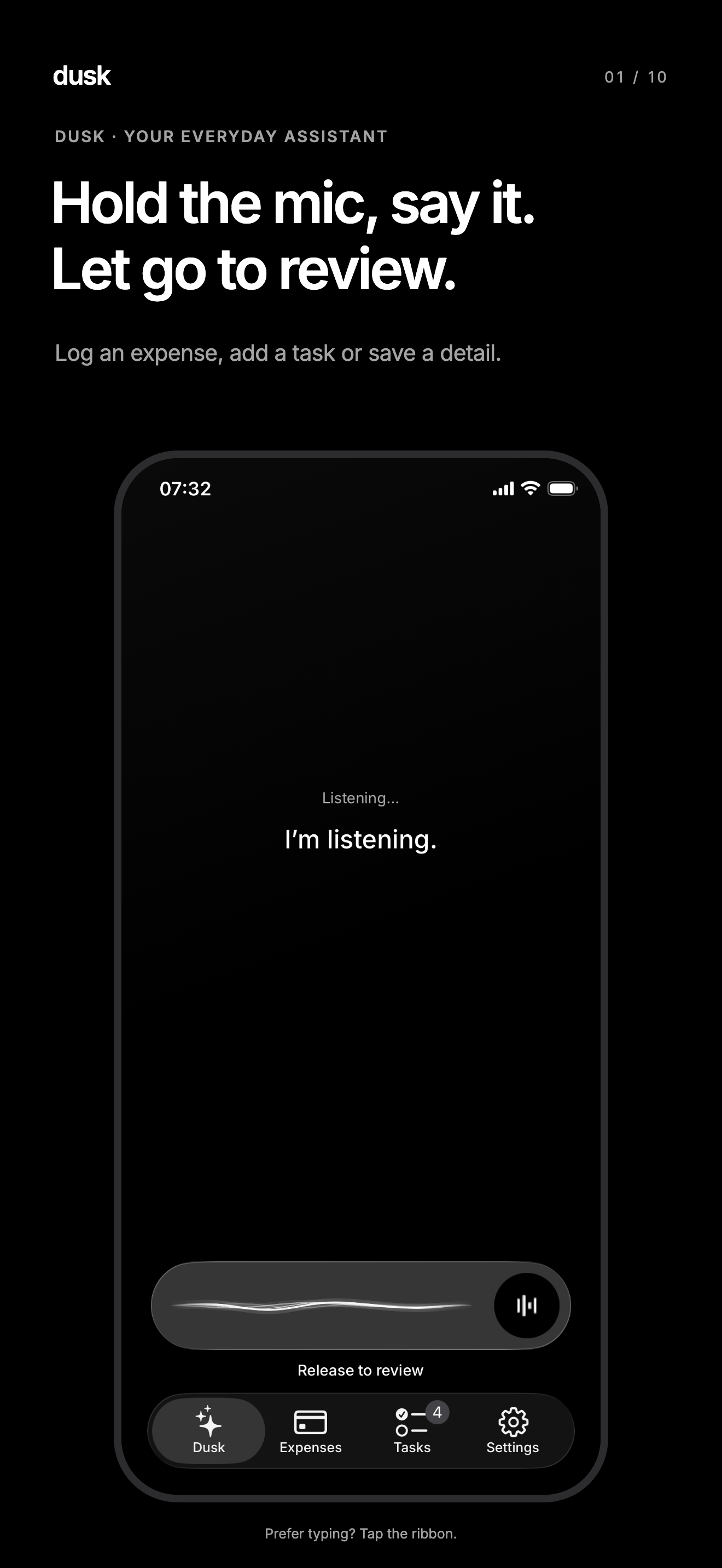
Hold the mic to talk, or tap to type.
Let go and check the words. Tap to fix anything.
Send, check the confirmation, and get on with your day.
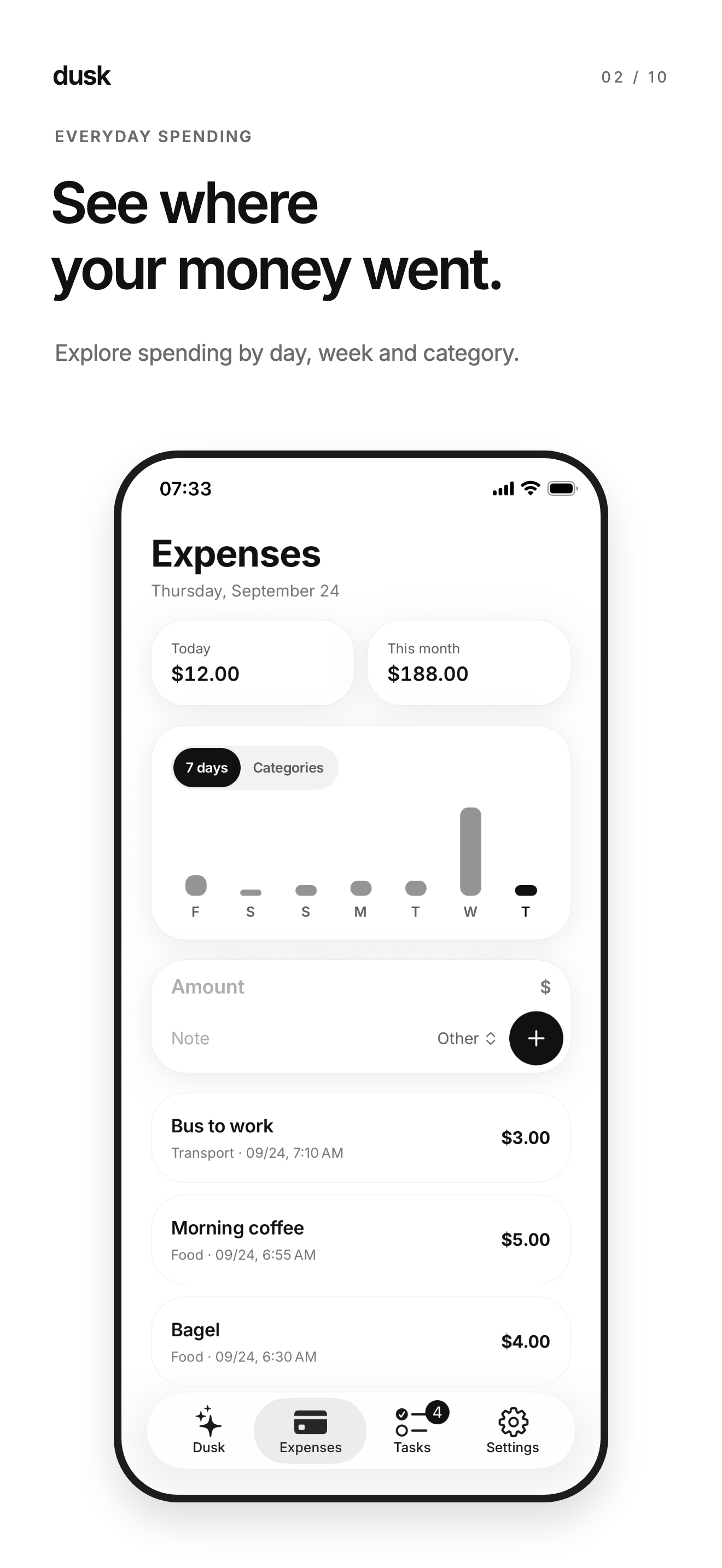
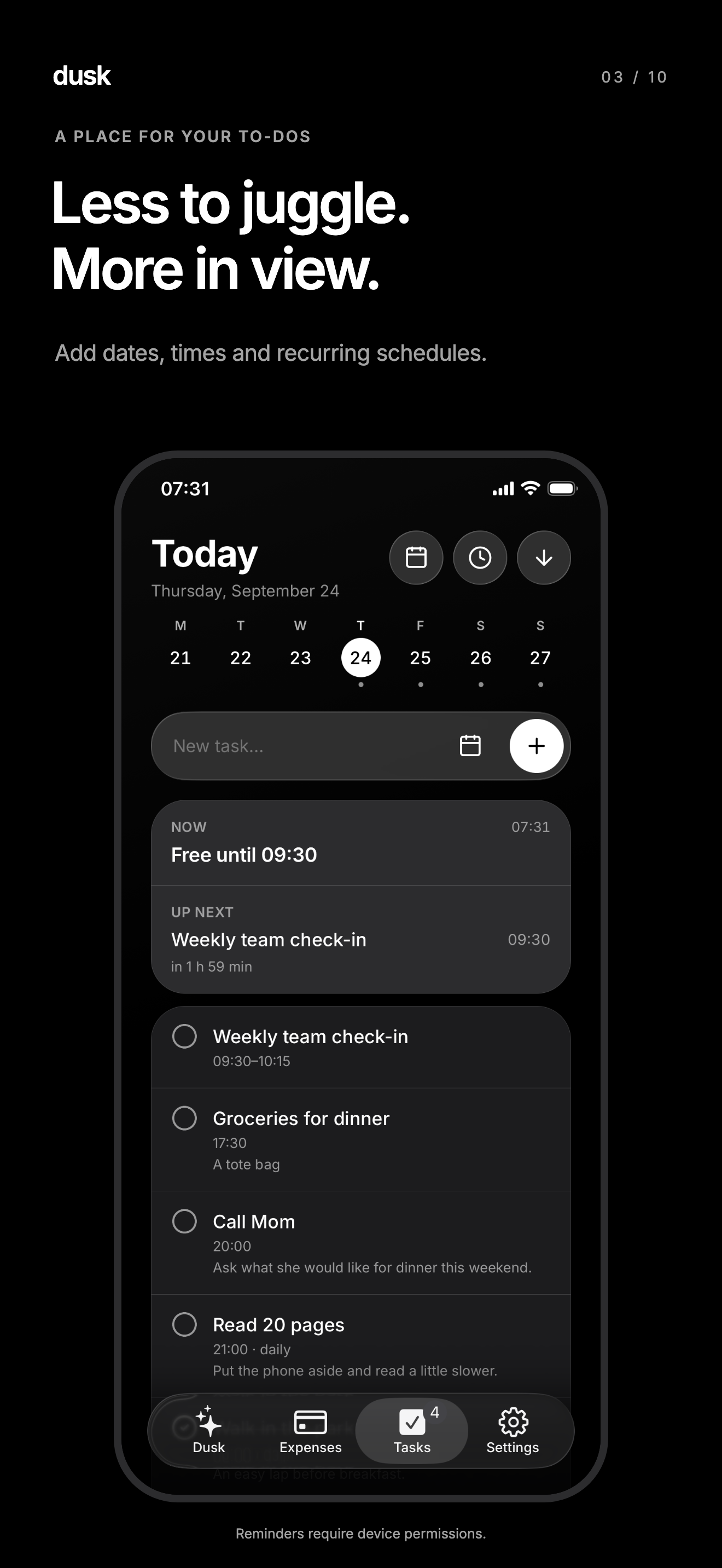
Record expenses and look back through totals and charts. Explore by date or category to see the details behind the numbers.
Set dates, times and repeating schedules. Keep the address and things to bring close to the task, ready for when it's time to go.
Review saved information in a list or a view of its connections. Pro adds natural-language questions and contextual retrieval.
True black at night, paper white by day, and text at a size that suits you. The only flourish is a ribbon of light that moves when Dusk is listening.
Record expenses, manage tasks and use basic account sync. Start with a sentence, without choosing Pro first.
Use conversational AI and contextual memory, import expenses from receipts or files, and tidy task notes. Monthly and annual plans include the same Pro features.
See your local App Store price before buying. Annual billing is paid upfront for the full year. Subscriptions renew automatically until canceled.
Dusk Pro is awaiting App Store approval. Pricing and subscriptions will be available in the app when released.
No. Tap the ribbon and type it like a message. With the mic, hold to talk and let go to review before sending.
No. Free includes core recording and basic sync. Pro adds conversational AI, contextual memory, expense imports and note cleanup.
No. You record expenses yourself or use Pro to import a receipt image, PDF or CSV. Review amounts and categories before saving.
Add a time to a task and enable the reminder mode on your device. Alarm mode requires a supported device with iOS 26 and the relevant permissions.
Yes. Open Settings → Memory to review saved information and use the app's deletion controls. Account deletion is available under Account.
You can view data already stored on your device. AI processing and syncing between devices require an internet connection.
They include the same Pro features. The annual plan is charged upfront for a full year; the monthly plan is billed each month. Both renew automatically until canceled.
Manage your subscription in iPhone Settings → Apple Account → Subscriptions. Use Restore Purchases in Dusk with the account that made the purchase when needed. Deleting Dusk or your Dusk account does not cancel an Apple subscription.
Today's coffee. Tomorrow's errand. A detail you would like to keep. Give it a place in Dusk.
Download Dusk and save your first detail